
Choosing the right digital art book depends on your preferred software and artistic goals. Whether you are using an iPad with Procreate or a desktop with Clip Studio Paint, the right guide can accelerate your learning curve.
This comparison examines eight distinct titles, ranging from general beginner guides to specialized character design resources. Each book offers a unique approach to mastering digital art, helping you find the perfect fit for your creative journey.
Our pick: Beginner's Guide to Digital Painting in Procreate. This guide is specifically tailored for users who want to learn digital painting on an iPad using Procreate.
Our 3 picks for different needs

Beginner's Guide to Digital Painting in Procreate

This guide is specifically tailored for users who want to learn digital painting on an iPad using Procreate.
Read the details
Beginner's Guide to Digital Painting in Clip Studio Paint
This title provides expert-led tutorials for those who prefer to use Clip Studio Paint for their digital art.
Read the details
Fundamentals of Character Design
This book is ideal for artists who want to specialize in creating characters for illustration and animation.
Read the detailsAll products, in detail
Beginner's Guide to Digital Painting in Procreate
This title focuses specifically on creating art using the Procreate application on an iPad. It serves as an introductory resource for users who want to transition from traditional media to digital painting within this specific ecosystem. The book is structured to help new users understand the interface and basic painting techniques.
It is a suitable starting point for those who have already purchased an iPad and are looking to install Procreate. The content is tailored to the unique touch-based workflow of the device. Readers will find guidance on how to utilize the app's features for their first digital projects.
This guide is ideal for absolute beginners in digital art who prefer a tablet-based approach.
- Focuses on digital painting in Procreate
- Designed for use on an iPad

Artists' Master Series: Color and Light
Part of the Artists' Master Series, this book concentrates on the fundamental principles of color and light. It provides a theoretical and practical foundation for understanding how these elements interact in visual art. The content is applicable to various artistic mediums, including digital painting and illustration.
It helps artists develop a stronger eye for composition and mood. The book explores how light sources affect form and color perception. It is a valuable resource for artists seeking to improve their technical understanding of visual dynamics. This title is well-suited for those who want to deepen their artistic theory knowledge alongside their software skills.
- Part of the Artists' Master Series
- Focuses on color and light principles

Procreate for Digital Artists
This guide is designed to help users sharpen their digital art skills through practical application. It features over 50 expert-led walkthroughs that guide readers through various projects. The content is structured to provide step-by-step instruction on using Procreate effectively. It is suitable for artists who want to move beyond basic tutorials and tackle more complex techniques.
The expert-led nature of the walkthroughs offers insight into professional workflows. Readers can learn how to apply specific tools and settings to achieve desired results. This book is a comprehensive resource for those committed to mastering the Procreate platform.
- Includes over 50 expert-led walkthroughs
- Focuses on sharpening digital art skills
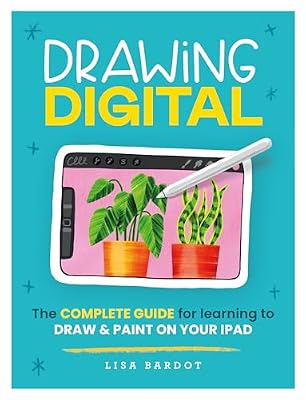
Drawing Digital
This book serves as a complete guide for learning to draw and paint on an iPad. It covers the fundamentals of digital drawing and painting techniques. The content is organized to help beginners build a solid foundation in digital art. It addresses the specific challenges and opportunities of working on a tablet.
The guide includes instructions on how to use the iPad as a creative tool. It is a practical resource for those who want to start their digital art journey from scratch. This title is ideal for users who prefer a comprehensive overview of digital drawing and painting on a tablet.
- Complete guide for drawing and painting on iPad
- Covers fundamental digital art techniques

The Beginner’s Guide to Procreate
This title aims to help users master digital art by providing everything they need to know about Procreate. It is structured as a beginner's guide, making it accessible to those new to the software. The book covers essential features and workflows to help users become proficient.
It is a straightforward resource for learning the basics of digital art in Procreate. The content is designed to be comprehensive for beginners. Readers will find guidance on how to navigate the app and create their first pieces of art. This guide is suitable for those who want a clear and concise introduction to Procreate.
- Aims to help users master digital art
- Structured as a beginner's guide to Procreate
Fundamentals of Character Design
This book focuses on creating engaging characters for illustration, animation, and visual development. It provides a deep dive into the principles of character design. The content is applicable to various fields within the entertainment and art industries. It helps artists understand how to design characters that are compelling and functional.
The guide covers aspects of visual development and animation. It is a valuable resource for those interested in pursuing a career in character design. This title is ideal for artists who want to specialize in creating characters for different media.
- Focuses on creating engaging characters
- Applicable to illustration, animation, and visual development

Digital Art for Beginners
This practical guide is designed for complete beginners in digital art. It provides a step-by-step approach to learning the basics of digital creation. The content is structured to be accessible to those with no prior experience. It covers fundamental concepts and techniques for digital art.
The book is a useful starting point for anyone interested in exploring digital media. It helps readers build confidence in their digital art skills. This guide is suitable for those who want a general introduction to digital art without focusing on a specific software.
- Practical guide for complete beginners
- Covers fundamental digital art concepts
Beginner's Guide to Digital Painting in Clip Studio Paint
This title focuses on digital painting using Clip Studio Paint. It features tutorials by expert professional artists. The content is designed to help beginners learn the software and painting techniques. It is a suitable resource for those who prefer Clip Studio Paint over other digital art applications.
The expert-led tutorials provide insight into professional workflows. Readers will find guidance on how to use the app's features for their first digital projects. This guide is ideal for absolute beginners in digital art who prefer a desktop or tablet-based approach using Clip Studio Paint.
- Focuses on digital painting in Clip Studio Paint
- Features tutorials by expert professional artists
Head-to-Head Comparisons
Procreate vs Clip Studio Paint: Choosing Your Platform
The primary distinction between these two guides is the software they teach. The Beginner's Guide to Digital Painting in Procreate is designed for users who work on an iPad. It focuses on the touch-based workflow and specific features of Procreate. In contrast, the Beginner's Guide to Digital Painting in Clip Studio Paint is tailored for users of that specific application.
It features tutorials by expert professional artists who use Clip Studio Paint. Your choice should depend on which software you already own or plan to purchase. If you are committed to the iPad ecosystem, the Procreate guide is the logical choice. If you prefer a desktop or different tablet setup, the Clip Studio Paint guide is more appropriate.
Advanced Walkthroughs vs Basic Mastery
Both of these titles focus on Procreate, but they cater to different levels of experience. Procreate for Digital Artists includes over 50 expert-led walkthroughs, making it a comprehensive resource for sharpening skills. It is suitable for users who want to tackle complex projects and learn from professional workflows.
The Beginner’s Guide to Procreate, on the other hand, is structured as an introductory resource. It aims to help users master the basics of digital art in Procreate. If you are new to the software, the Beginner’s Guide provides a clear starting point. If you are ready to dive deeper into specific techniques, the Procreate for Digital Artists guide offers more extensive practice opportunities.
Specialized Character Design vs General Basics
These two books serve different purposes within the digital art curriculum. Fundamentals of Character Design is a specialized resource focused on creating engaging characters for illustration, animation, and visual development. It is ideal for artists who want to pursue a specific niche within the industry.
Digital Art for Beginners is a general guide for complete beginners. It covers fundamental concepts and techniques for digital art without focusing on a specific genre. If your goal is to create characters, the Fundamentals of Character Design book provides targeted instruction. If you are just starting out and want a broad overview, Digital Art for Beginners is a more suitable starting point.
Buying Guide
Selecting Your Software Platform
Before purchasing a digital art book, identify the software you intend to use. Many guides are specific to applications like Procreate or Clip Studio Paint. Ensure the book you choose aligns with your hardware and software preferences. This ensures that the tutorials and instructions are directly applicable to your workflow.
A guide for one software may not be useful if you are using a different application.
Assessing Your Skill Level
Consider your current experience level when choosing a book. Beginner guides are designed to introduce fundamental concepts and basic techniques. More advanced books may focus on specific skills, such as character design or color theory. Matching the book's difficulty to your current skill level ensures a smoother learning experience.
Starting with a book that is too advanced can be discouraging, while a book that is too basic may not challenge you enough.
Defining Your Artistic Goals
Think about what kind of art you want to create. Some books focus on general digital painting, while others specialize in character design or color and light. If you have a specific goal, such as creating characters for animation, choose a book that addresses that niche.
This targeted approach can help you develop the specific skills you need to achieve your artistic vision.
Considering Your Learning Style
Different books use different teaching methods. Some rely on step-by-step walkthroughs, while others focus on theoretical principles. Consider how you learn best. If you prefer hands-on practice, a book with many walkthroughs may be ideal. If you want to understand the underlying principles of art, a book focused on theory may be more beneficial.
Your learning style can influence which book will be most effective for you.
Frequently Asked Questions
Do I need an iPad to use these digital art books?
Not all of these books require an iPad. Some, like the Procreate guides, are specifically designed for iPad users. Others, such as the Clip Studio Paint guide or general digital art books, can be used with various hardware setups. Check the specific requirements for each book.
Are these books suitable for complete beginners?
Yes, several of these titles are designed for complete beginners. Books like Digital Art for Beginners and The Beginner’s Guide to Procreate are structured to introduce fundamental concepts. They provide a clear starting point for those with no prior experience in digital art.
Can I use these books to learn character design?
Yes, the Fundamentals of Character Design book is specifically focused on creating engaging characters. It is a valuable resource for artists who want to specialize in character design for illustration, animation, and visual development.
Do these books include tutorials by professional artists?
Some of these books feature tutorials by expert professional artists. For example, the Procreate for Digital Artists and Clip Studio Paint guides include expert-led walkthroughs. This provides insight into professional workflows and techniques.
This article is part of our complete guide Arts, Crafts & Sewing — browse all our comparisons and buying guides.
Last update on 2026-11-19 / Affiliate links / Images from Amazon Product Advertising API